Archival research can be daunting. There are so many archives to explore, and the combinations of catalogues and search terms are almost endless. Even a seemingly simple project, like researching your family tree, can quickly become overwhelming.
For the sake of your time, money, and sanity, it’s vital to organise your research. Keeping track of what you need to do and have already done will stop you repeating the same searches over and over, and help you figure out which archives are most useful for your work. It’s also a concrete reminder of how much you’ve already done, which can be comforting on those days when it feels like you’re not getting anywhere (yep, we all have them).
I use Excel to organise my research into Mary Ann Britland. If you’d like to see how I work, or if you’d like a template for your own work, download my archival research template.
Included in the template are some example entries from what appears to be a very serious, important, and totally real doggo research project. Using them and the instructions below, let’s see how the template may be used.
HEADS UP: Don’t be intimidated by the size of the spreadsheet or the meaty instructions. You probably won’t need every column for every source, especially in the early stages of your research. Or maybe you’ll nut out your own process as you go along. The important thing is that you have a process, and seeing someone else’s (in this case, mine) can be a great start in figuring out what will work for you.
‘To Do’ page
This page keeps track of everything you need to find, but haven’t started looking for yet. It’s pretty self-explanatory, but here are some instructions, just in case.
- In column A, list everything you need to find. Our example researcher is looking for a copy of Puppers Unleashed Vol.13, Doge’s birth certificate, and the original photograph from the Pun Dog meme – all important and valuable historical artefacts.
- In column B, note what type of record or material the source is. This will come in handy later if you want to filter and/or sort your items by type (although you’ll need to remember to use the same word for similar items). In our example, we can see that Puppers Unleashed Vol.13 is a magazine (a high-brow one, I’m sure), Doge’s birth certificate is a record, and the Pun Dog photo is – funnily enough – a photo.
- In column C, note any leads, hints, or ideas that might help you find your item. Don’t worry if you don’t have any at first – you’ll get some once you get into your research. Our example researcher plans to check out Trove (good plan – Trove is brilliant for Australian research) and is wondering when the Pun Dog meme first appeared on the doggo scene. They also seem to know a lot about Japanese birth certificates.
- In column D, copy and paste the urls of any helpful websites you find. Again, don’t worry if you don’t have any to start with – you’ll find them later.

Pictured: Very important research material.
‘In Progress’ page
This is where you’ll keep track of all your current searches. You’ll probably find that searching for one item will remind you of ten more things you need to find, but don’t let that distract you. Add the new sources to the ‘To Do’ page and carry on with your current search following these instructions.
- Pick the source you want to search for from the ‘To do’ page and copy the row. Then paste it into the table on the ‘In Progress’ page. Our researcher is currently searching for the official trailer from the 2011 film Red Dog. ‘Cause why not?
- Columns A (the item name) and B (the item type) should be correct, but columns C and D are now wrong. Copy the contents of column C (your leads, hints and ideas) to column F, and the contents of column D (your helpful site link/s) to column G.
- In column C, list all the places and catalogues you’ve searched and the search terms you’ve used. Keeping track of this will stop you from repeating the same searches over and over (which is frustratingly easy to do). Our researcher has tried their local video store and YouTube (although they haven’t listed their search terms – naughty, naughty), as well as asking random people on the street. Yet somehow they weren’t successful…
- In column D, list any searches you currently have in progress. For example, you may have emailed a library or archive for help, or you might be waiting to hear back about a page check. When a search is finished, cut it from column D and paste it in with your other past searches in column C.
- In column E, make a note of where you plan to search next. Our example researcher is planning to contact the ACMI (Australian Centre for the Moving Image), which is a very good idea when you’re looking for Australian film.
- Column F should have your leads and hints from the ‘To-Do’ page. Delete them after you’ve tried them, and add new leads as you find them. I tend to use this as a general notes/ideas section. Our example researcher has noted that someone named Hugh Jass tipped them off about the ACMI. Nice work, Hugh. Soz about your ridiculous name.
- Column G should have your helpful links from the first page. Add more if you find them, but don’t delete any – you may want to go back to them later.

I have no idea what this movie is actually about.
‘Dead and done’ page
The last page of the template, ‘Dead and done’ records the sources you’ve found, the ones you’ve given up on, and anything you’ve learnt in the process. This last part is incredibly helpful, as you’ll eventually learn which archives are most likely to have certain items. This will help you better target future searches, which will save you time and money (especially if you’re relying on page checks and research assistance).
- In column A, list the source you were searching for. Our example researcher was looking for Lassie’s diary, the origin of the ‘dog shaming’ meme, and Dog Fort’s field reports and activity logs. And I don’t know about you guys, but I’m now seriously invested in whatever they’re researching.
- In column B, note if you found the item or not.
- If you did find it, note the location (with a link if possible) in column C.
- If you’ve learnt anything new research-wise from this search, make a note in column D. You won’t learn something from every search, but when you do the insights are worth remembering. And not everything you’ll learn will be positive. Our researcher discovered that Dog Fort isn’t a real fort. Devastating.
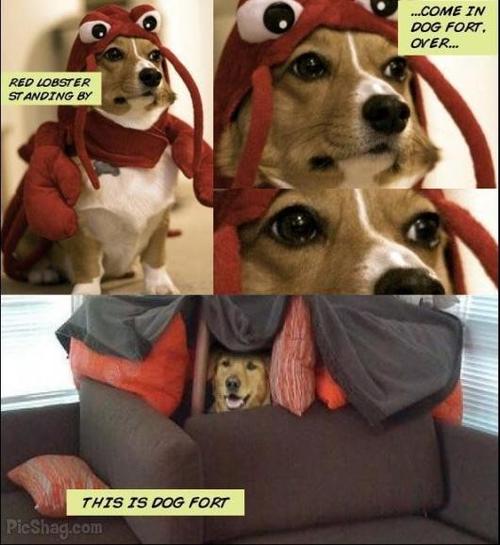
Still real in our hearts.
Aaaand that’s my process. Or a least a simplified version of it. But how do you work? Leave me a comment to tell me about your research, or share this post if you know someone who could use it.


Recent Comments